On this page
- Content
- Honista v13.1 – Quick Details
- What’s New in Honista v13.1?
- 1. Download Instagram Live Streams
- 2. Watch and Download Lives After They’ve Ended
- 3. Analytics Is Back With a New UI
- 4. iOS Emoji and Font Issues Fixed
- 5. Post Playback Issue Fixed
- 6. Performance Improvements
- How to Download and Install Honista v13.1 APK?
- Should You Update to Honista v13.1?
- Final Words on Honista v13.1
Hey it’s Anshul! another Honista update is here! This time, the developers have introduced some useful features along with fixes for issues that many users were facing in the previous version. Honista v13.1 now lets you download Instagram live streams, watch available lives even after they’ve ended, and explore a completely redesigned analytics section. The update also fixes the emoji bug, font issue, and post playback problem. I’ve covered everything you need to know about this update below, including its new features, app details, and installation process.
Content
Honista v13.1 – Quick Details
| Details | Information |
|---|---|
| App Name | Honista |
| Version | v13.1 |
| Base Instagram Version | 426.0.0.37.68 |
| Architecture | arm64-v8a (64-bit) |
| Platform | Android |
Before downloading: Make sure your phone supports the arm64-v8a (64-bit) architecture. This build is specifically made for 64-bit Android devices.
What’s New in Honista v13.1?
Here’s the complete changelog of this update:
- You can now download live streams.
- Watch and download lives even after they’ve ended.
- Analytics is back with a completely new UI.
- Fixed the emoji bug.
- Fixed the font issue.
- Improved overall app performance.
- Fixed the post playback issue.
Let’s check out these changes one by one.
1. Download Instagram Live Streams
This is probably the most interesting addition in Honista v13.1. You can now download Instagram live streams directly from the app. Earlier, if you wanted to save a live session, you generally had to rely on screen recording or other methods. With this update, things are much easier. You can save available live content directly through Honista without using an additional app.
2. Watch and Download Lives After They’ve Ended
Another useful feature is the ability to watch and download live streams even after they’ve ended. So, if you missed someone’s live session, you can still access it when the live content is available. You can also download it for later viewing.
3. Analytics Is Back With a New UI
If you regularly use Honista, you might remember the analytics section from previous versions.
Well, it’s back! The developers have brought analytics back with a completely redesigned interface. The new UI gives this section a fresh look and makes checking your account statistics more convenient.
4. iOS Emoji and Font Issues Fixed
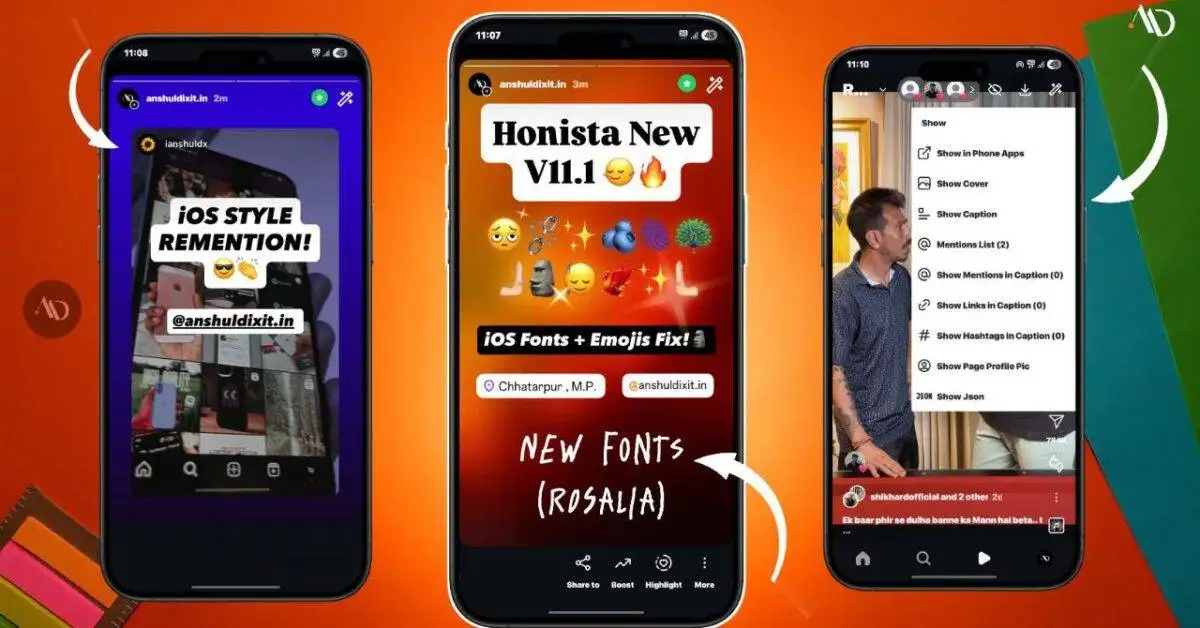
Many users prefer using iOS-style emojis and fonts in Honista, especially those who like the iPhone look on Android. However, some users were facing problems with emojis and fonts in the previous version. Thankfully, both issues have been fixed in Honista v13.1. You can now check the updated emoji and font functionality in the latest build.
Also Read – iOS Fonts Download For android!
5. Post Playback Issue Fixed
Some users were also experiencing issues while playing posts. This update fixes that problem, so you should have a smoother experience while watching Instagram posts.
6. Performance Improvements
Apart from the specific changes mentioned above, Honista v13.1 also includes general performance improvements. It’s always good to see these smaller fixes alongside new features because they make the app more comfortable to use daily.
How to Download and Install Honista v13.1 APK?
If you want to try the latest version, follow these simple steps:
- Download the Honista v13.1 APK using the link below.
- Once the download is complete, open the APK file.
- Allow installation from unknown sources if Android asks for permission.
- Tap on Install and wait for the process to finish.
- Open Honista and log in to your account.
Download Honista v13.1 APK:
A few things before installing:
- Make sure you’re downloading the correct arm64-v8a (64-bit) build.
- Keep a backup of your important app settings and data before updating.
- If you face any issues, try restarting the app or clearing its cache.
- Honista is a modified Instagram client, not an official Instagram app.
Should You Update to Honista v13.1?
If you’re already using Honista, I’d say this update is worth checking out. The live stream downloading feature is a useful addition, and the return of analytics with a new interface makes the update even better. On top of that, the emoji, font, and post playback fixes address some of the common issues from the previous build. So, if you’ve been waiting for these fixes, you can give Honista v13.1 a try.
Final Words on Honista v13.1
So, that’s everything about the new Honista v13.1 update. Personally, I think the live stream download feature is a nice addition, and it’s good to see the analytics section returning with a new interface. The bug fixes are also important, especially for users who were facing problems with emojis, fonts, and post playback. I’ll keep updating this article whenever a new Honista version is released, so you can find the latest updates in one place. For more Android apps, Instagram tricks, and useful tech updates, keep visiting Anshul Dixit Tips.
Frequently Asked Questions
What is the latest version of Honista?
The latest version covered in this article is Honista v13.1.
What is the base version of Honista v13.1?
It is based on Instagram version 426.0.0.37.68.
Can I download Instagram live streams using Honista?
Yes, Honista v13.1 introduces the option to download live streams directly through the app.
Can I watch lives after they’ve ended?
Yes, you can watch and download available live streams even after they’ve ended.
Is the iOS emoji issue fixed?
Yes, the emoji bug and font issue have been fixed in v13.1.
Does Honista v13.1 have a new analytics interface?
Yes, the analytics section is back with a completely redesigned UI.
Does Honista v13.1 support 32-bit Android devices?
The APK covered in this article is an arm64-v8a (64-bit) build. It is not intended for 32-bit devices.